
 Part of VartaAPI WhatsApp
Team inbox
A shared WhatsApp team inbox: one number, your whole team
Every WhatsApp conversation lands in one shared inbox. Assign chats, keep roles tight and never lose a customer in someone's personal phone.
Assign conversations
Give a chat to the right agent and see at a glance what is unassigned.
Roles that fit
Owner, admin and agent — agents see the inbox and nothing they should not.
Rich replies
Receive photos, documents and voice notes, and answer without leaving the page.
Team inbox
Built for a team, not a single phone
Invite the people who answer customers, give them the right level of access, and keep the whole history in one place.
- ✓Invite team members by link
- ✓All / Mine / Unassigned filters
- ✓Hand a chat back to the bot at any time
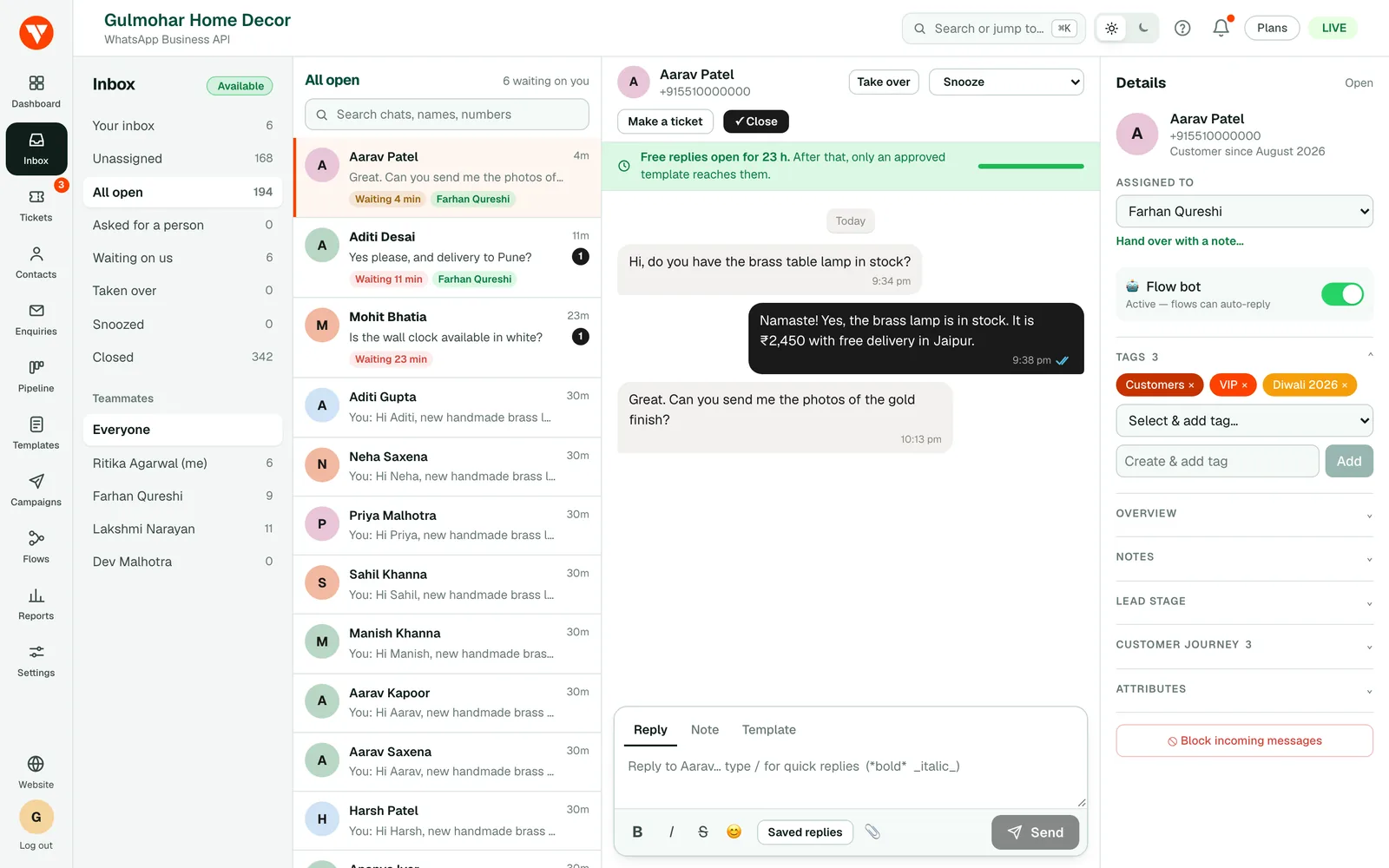
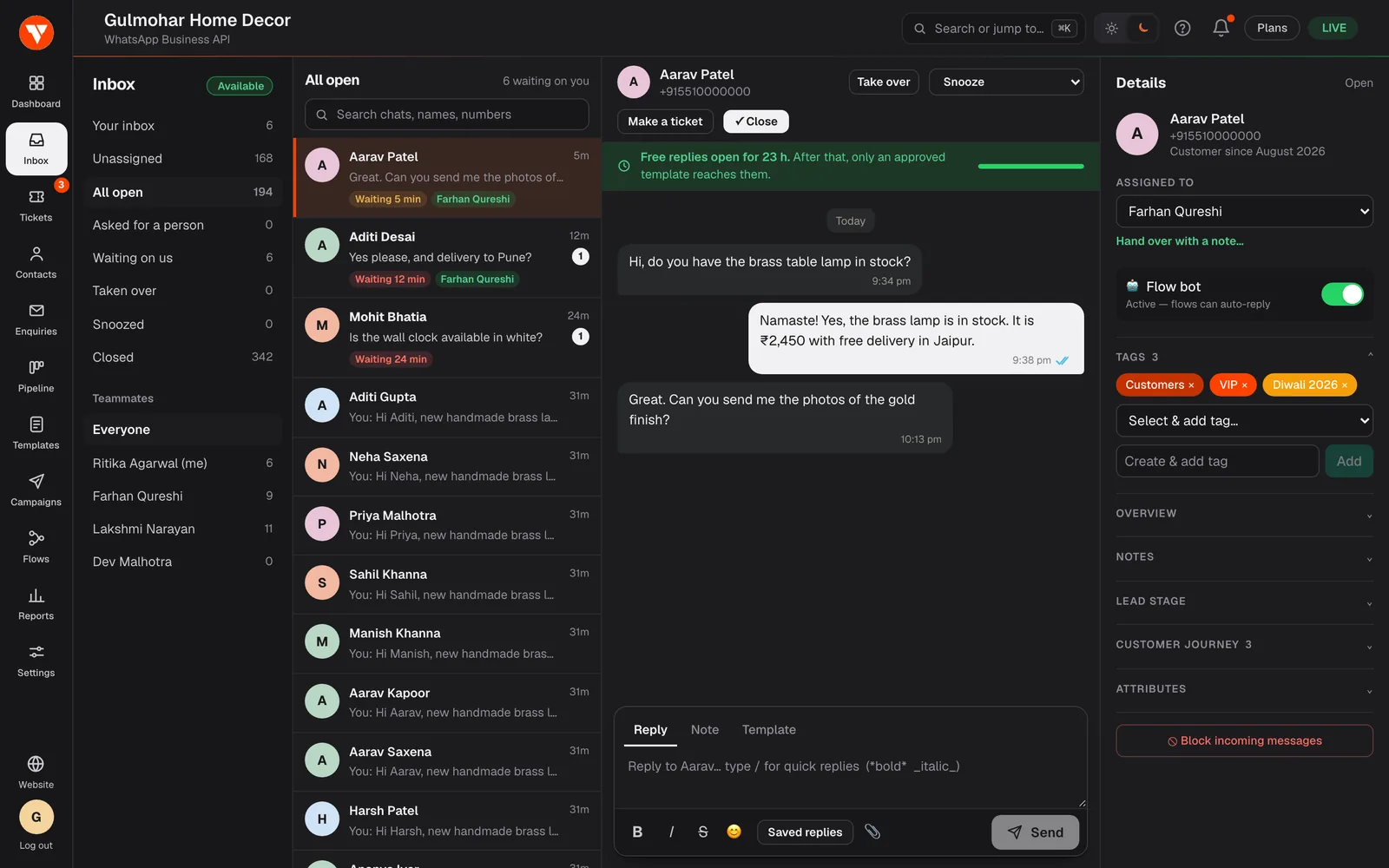
One WhatsApp number, many people answering
When customers write to one phone, the conversation lives on that phone. If the person leaves, goes on leave or drops it in the sea, the history goes with them. A shared WhatsApp inbox keeps every conversation in one place that the whole team can open from a browser, each person signed in with their own login.
Roles keep it tidy: owners and admins manage the account and the team, and agents see the inbox and nothing they should not. You can assign a chat to the right person and see at a glance what is unassigned.
Built around WhatsApp's 24-hour window
WhatsApp lets you reply freely for 24 hours after a customer's last message. After that only an approved template can reach them. The inbox shows that window on every chat, warns you before you write a reply that cannot be delivered, and lets you send a template instead.
Every message shows whether it was sent, delivered or read, and a failed message shows why.
Share the work fairly
Filter the inbox by all chats, your chats, unassigned or waiting for a reply. Turn on round-robin and new chats are shared among the people on duty, with an optional limit per person, and anyone can mark themselves away. Close a chat when it is done, or snooze it until later; a new message from the customer brings it back.
Save the answers you type every day as quick replies and insert one by typing a slash. A chatbot built in the flow builder can greet people first and hand over to a person when it should, and you can hand a chat back to the bot at any time. When a conversation turns into a sale, it becomes a lead in the pipeline.
Questions
Questions people ask before they start.
Can several people use the same WhatsApp number?
How are new chats assigned?
What happens after the 24-hour window closes?
Does it work on a phone?
Can the chatbot and my team share the same conversations?
Which plans include the shared inbox?
Ready to try it on your own number?
7-day free trial · No credit card required